Sunday, 27 April 2014

An introduction to the Game Industry: From generalist to specialist?

I think in the past I have mentioned how I wish to become a character artist, correct? Moving on in the course we have slowly come to focus slightly on the area we wish to “specialise” in. However, if the course has taught me anything it’s that you should always cover your ass. In the majority of industry companies – predominantly indie companies due to the lower funding and such, it seems that individuals will take on a “T-Model” – this meaning that they have a breadth of knowledge about multiple subjects which accompany one main area of expertise – or a specialisation.
For example, a character artist will specialise in, well, characters – however have knowledge on additional information such as rigging and animation. It’s very rare for a specialist to appear as an entry-level job without a dazzling portfolio. I believe Valve tent to hire more T-shaped people than I’s.. Google images inspired that, it’s terrible. This makes sense though – people with a general number of skills will be able to switch work and collaborate easier, and in generally function more comfortably within a team.
In general, a team’s structure will look something like this:
The majority of game teams will be made up of the same core elements – however, specialists are more likely to occur within the art, design or programming teams. An individual will originally start as a junior, being given a range of tasks with limited responsibility, then have the opportunity to move up the corporate ladder. 
And if you want to view it in the dickish way – hiring more generalists will mean you have to hire less people, as the knowledge is broad amongst the whole team. This makes sense as to why many companies are outsourcing for specialist jobs, rather than hire numerous amounts of specialists – especially if a role is temporary and will be lost on game completion.
Essentially the game industry is one big huge “cover your ass” lesson – but we can’t really cover our ass on outsourcing. Unless we move and get hired by a company which is outsourced. Unless they outsource as well.. A never ending loop of disappointment and shattered dreams.

Elements of game technology, part three: interaction design

Over the years, looking at game technology itself, the general aesthetic hasn’t necessarily changed – cartridge or disc slot, eject button, an on button.. The only thing that really has changed is the obvious existence of a reset button on consoles. I would say this is due to technology improving issues with console issues but... red ring of death and so on.

As games have become more demanding on a system, fans and vents have been introduced, but fundamentally they all have the same core aesthetic practicality as always. And this is for good reason – change what is considered the norm, challenge generations’ knowledge of a console then the ability to market it to the majority falls through, unless they’re willing to learn an entire new way things work.
The same applies to controllers – the SNES had it sorted, laying the foundation as to what we consider a controller pad today. The d-pad and 4 action buttons, with ‘start’ and ‘select’ buttons became the default on all controllers, as well as the layout. Obviously they were doing it right. Joysticks, shoulder buttons and a new way of gripping a controller were added with the N64, and although slightly modified, these continued until the current and next gen consoles. The joysticks made game interaction a lot more smooth – adding in the ability to control the camera direction whilst still moving the playable character.
It is simply the “unnecessary” aesthetics that have changed over time – the sleekness of the design, materials, and additional features such as sensors to accommodate the introduction of new technology, such as motion control and alternative tracking technology. These all being done to attempt to increase the interaction with a game environment.
However, new technology which adds a new level of immersion to the gaming world would be the Oculus Rift – completely isolating the user’s sensors to focus entirely on the game in front of them. This combined with the stereoscopic 3D view allows the player to experience depth different to that of a 3D film of TV, allowing a different experience to simply playing a console game on a 3D screen. The ability for the headset to track the wearers head turning in real time allows a more intuitive interaction with the gaming level, giving the camera control a more natural feel.
In reality, the oculus rift takes a lot of 90’s kid sci fi dreams and creates a virtual reality headset, and no doubt the boxy aesthetic of it will change as time progresses as it has done with controller pads.
Before I finish this post, I want to share a video of someone using the Oculus Rift to play a game called “Alone”, it demonstrates how the technology can give a game an entirely different feel and disorientate the player due to the sensory focus and situation the game has them in.


Elements of Game Technology, part two: sound for games

A game could have the most visually awesome effects, smoothest animations and tastiest plot but without sound – whether it be ambient or a full-on orchestral masterpiece – then a game is lacking so much that could add to mood, emotion, narrative and a connection between characters and the player.
Music can characterise so many emotions, feelings and even themes in a game, putting a player on edge and engrossing them further into a story. One game which really springs to mind on its use of ambient noises is that of Amnesia – of which everyone has probably gone on about to death about the way it manipulates sounds to terrorise the player.
The sound in amnesia is also used to symbolise danger and safety – changing the tone in the ambience and sounds to create either terror or a moment of necessary calm when the game calls for it.

This in comparison to the “monster chase” sounds really demonstrates the variety of emotions a soundtrack can produce – and not only link to the players feelings and letting them know key events in a game, but also linking to the in-game characters ‘emotions’ during a scene, this causing an immersive link between both player and game.

Even from the title screens music, from staying idle on the screen to when you click “play” it sets the tone for what is to come. Paired with the animation of moving towards the door it just screams the tone for the game, instantly setting the player up for what is in store. Playing this same scene whilst muted definitely does not have the same effect – losing all sense of terror and leaving too much of a vague air about what the game could entail.

Soundtracks on games can also indicate the era in which it is set, for example Dragon Age: Origins’ soundtrack has a more Celtic-inspired origin, and could possibly dignify the progression of the games story itself – beginning calm as all the character origin stories do, then varying in temp and introducing more “violent” and dramatic sounds to the theme. Not only that, it’s beautiful to work to.
On the other hand, it can additionally be used to fill space and stick in your brain, making you do nothing but think about a specific game and make you want to play it for old time’s sakes. For example, the original “Sims” ‘Build & Buy’ soundtrack is now what my mind links to the penultimate shopping song. On first listen it seems like just mindless background noise – of which is more than likely is knowing EA and the way they produce their Sims expansions – however each some somehow captures a specific feeling of “lets shop”. From playing the game on mute it shows how it does add something to the enjoyment of the game, no matter how annoying the songs actually are.

Elements of Game Technology, part one: game engines

One thing the gaming world isn’t necessarily lacking in is the access to a game engine. There’s plenty around, so the ability to find one which specifically suits what you want to create is pretty secure. Personally, I’m not overly savvy with game engines, I love seeing what I have created in engine when compiled into a playable level, but when it comes to learning and navigating the engines controls I’m a bit timid and unsure. Let’s just say when something goes wrong – even the simplest of things - I have no idea what I’m doing. An unselectable 8ft apple core is a rather unsettling thing to be faced with.
As I’ve recently been using it, let’s start with Cryengine. This engine is the officially licensed tool for pretty much all next gen gaming consoles, and remains the only all in one development solution for the PC, Xbox 360, Playstation 3 and WiiU. It has a version of itself that is free for non-commercial production, and 20% of its revenue goes towards indie game production. It’s capable of generating state-of-the-art physics which can be applied to the majority of objects, and making them react in a realistic way to an opposing force without use of an external middleware. It’s also very powerful when it comes to AI, having the ability to use modular sensory systems to handle character behaviours.
 In comparison to other engines I have used, its interface is very easy to get the hang of once shown. The importing of assets is very simple and instinctual, relying on a simple drag-and-drop format into well categorised folders. And once an asset is in engine, graphically it looks pretty damn impressive.
The sandbox makes a levels creation super easy – giving the creator the ability to adjust assets in real time, speeding up production. I personally found the ability to adjust the scale of an asset, as well as the hue of specularity and the asset itself to be incredibly useful – as opposed to going back 3Ds Max to adjust a model having to reexport it, or adjust the colours in a texture sheet,. In addition to this, the similarity between 3Ds Max’s interface and Cryengine makes it very simple to use – especially when it comes to compiling textures to create a material.
Something I cannot find evidence of Cryengine doing, is supporting Android or IOS, this being something that the Unreal Engine does, alongside the Playstation Vita. In addition to this, Unreal Engine can be used to create both  a cinematic experience and more simple games such as side scrollers – this more than likely being the reason as to why it’s suitable for phone and tablet game usage. Once again UDK offers a free education, non-commercial use version. For production use it’s a $19 monthly subscription with a 5% royalty on gross revenue – this being said to be more cost-effective for studios and young developers.
This is just two examples out of a number of game engines, also demonstrating how different engines and be suited for different people depending on what they are producing.

Sources:

Wednesday, 22 January 2014

Elements of game design, part six: documentation

I was contemplating this entry for a while – using it to somewhat organise my thoughts on next year’s final major project. My documentation isn’t too fantastic granted, so it’s something I need to improve on as it is important and used throughout the entirety of a project – being used to report on progress, present ideas, concepts, organise thoughts as well as to be there to constantly refer back on to progress or revaluate ideas. In addition to this, documentation of a project will outline specifications and limitations to assets that would be designed – stating tri count, texture limits and the frame rate a level will run at.
As I’m not entirely certain as to what I want to do for my final major project – there’s a huge variety of themes, genres and stylisations I could apply to the project to make it more interesting, I feel that more contemplation is needed than a single blog entry on how I would personally go about organising and allocating my time to the project. In addition to this, as I ideally would like to do characters, I would be overlooking certain aspects which apply to entire levels of environment-based projects. So instead I’m going to outline the possibilities for the group project that has just began – in which the idea is to produce an exploration/vague narrative based level, somewhat in the style of the game “Dear Esther”.
Aims:
High quality realistic textures
Accurate, logical topology and flow lines to all geometry
Interesting silhouettes
effective mood portrayal through colour palette and lighting.
Software:
For this I would be using 3Ds Max, ZBrush, Photoshop, and any additional normal map generating programs.
Platform:
PC, current generation consoles
Audience:
For this I would aim for an audience of 16+, this meaning I could include some more mature themes, yet as the games genre is more exploration there would be no need for profanity, nudity or gory/violent themes. The game genre itself would rely on the maturity of the player, and appreciation of aesthetics and subtle narrative rather than action and explosions.
Genre:
As stated before, an exploration, narrative-base.
Technical Specs:
The environment would be required to meet the frame rate of current generation consoles as a minimum in order for the game to be portable with minimal lagging issues. This appears to be around a minimum of 30FPS, ranging up to 60FPS at 1080p for the Xbox One and PS4. In order to make sure I meet this, I would be logical with where I allocated tris, giving key assets a priority with about 1000 tris for environment props with full texture mapping. A vehicle would have up to about 7000 tris. A level with minimal characters would in theory allow them to have about 8000 – 1200 tris, with full texture maps. A minimum of 2000 tris being the lowest, mainly intended for LODs.

Texture maps:
For an environment I would be able to use multiple tillable textures, limiting them at 512x512 as a maximum. For more detailed texture sheets, such as if I were to include a character or a heavily detailed object that would be seen close up, I would perhaps  use a 1024x1024 as a maximum – for example for a main character, however in minimal amounts as to keep the frame rate at its optimal

Wednesday, 4 December 2013

Elements of game design, part seven: level design


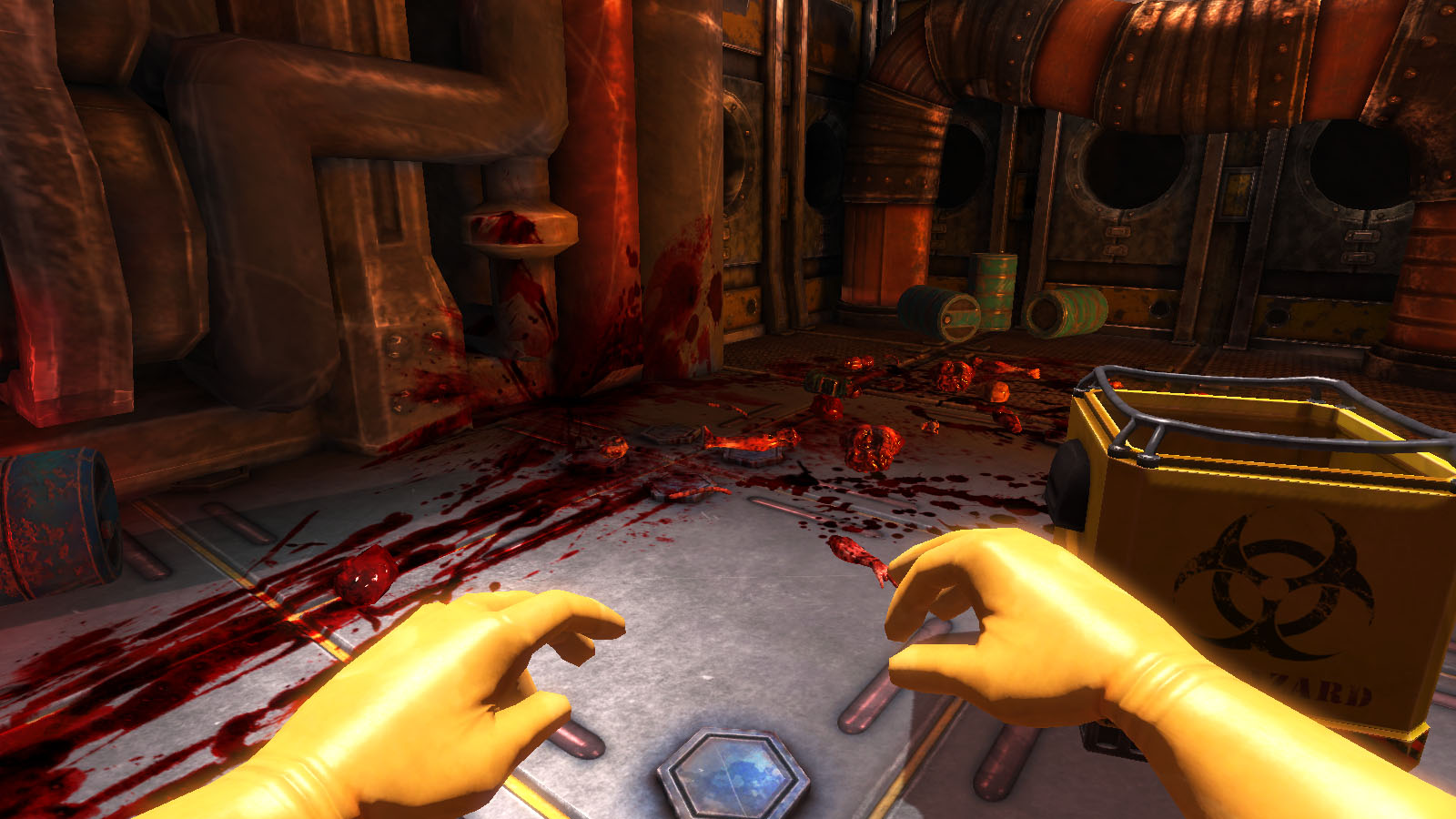
Level design and environment design are two separate aspects when a game is in development, although are not necessarily held as completely separate elements, as generally the jobs are interchangeable with an individual in the industry. As I touched upon last year, environment design refers to the aesthetics of the assets which are places in the environment – an environment artist will model, texture and on occasion light an environment to create a visually appealing level. Level design refers to the assembly of said environments. In general, a level designer will design gameplay elements, as well as create scripted events and test gameplay – basically, the interaction with the environment artist’s creations. Their job is to create a level, environment or world in which a player can interact with and not get bored – and depending on the game type, avoid replication the mundane tasks of an individual’s everyday life. Then again this is really just a suggestion, as if people can find a game based around mopping and cleaning interesting as long as its blood, guts and in space then who knows.
Viscera Cleanup Detail - The space-station janitor simulator
Generally, what can be classed as good level design can be categorized into fundamental “rules” as it were. Starting with the navigation through a level – this being one of the core interactions a player has with the environment they have been presented. Crap layout can hide visual cues as to where a player has to go – in most cases this comes in the form of a light source, corridors,  colour coded areas such as in mirrors edge, blocked off “you can only go this way” sections, or the way in which the scary monster just went. Good navigation creates a good flow within a games level, with consistent themes throughout a game allowing a more instinctual interaction from a player.
Another suggested “rule” of game level design is the use of environment to tell the story, relying on just the right amount of visual cues to allow the player to immerse themselves and uncover the story for themselves without it being shoved down their throat. Narrative aspects of a level can be done in three ways, explicit – referring to text or speech, implicit – referring to the environmental cues, such as in Bioshock or Fallout 3’s use of notes, and emergent – this being narrated by the player as they travel through the level.
One of the more optional aspects of good level design is the players’ interaction with quests/objectives, and how they are to be fulfilled. In the Elder scrolls series it is a general running design that the character gets to choose their morality, and how certain quests can be ended – this affecting the environment around them in multiple ways. This leads into gameplay – quests and locations of interest should be distinct in their marking, with the option of how a location is interacted with being determined by the player. Doing so allows a game to steer away from repetition, giving some more variety in doing tasks and interaction where the player feels as though they are writing their own story.
The difficulty of a game is a sign of good level design – although maybe not one of the most important ones. I personally know I appreciate it when a game allows myself to select what difficulty I want to approach a game in, allowing me to get the enjoyment I want without unnecessary rage quitting – AKA: Dante’s Inferno. Adjusting the levels of enemies, difficulty of environments and the levelling curve via the adjustment of the difficulty can create a more rewarding experience with a personal feel.
Level design, in reality, wants to create an easy-to-play but not in your face, personalised, interesting and all round awesome experience for a player, showing off the visual environmental designs to their fullest whilst creating flowing, logical interaction with them which both strays from everyday life, but maintains balance in the real world with its understantability and interaction with an individual’s awareness and intuition. They should create emotive responses which fuel gameplay, with levels which highlight specific mechanics within a game.

Sunday, 1 December 2013

Elements of game design, part six: Visual Composition

Visual composition is an aspect that I find personally can be easily over looked when producing images, whether they be from life or an imaginative piece. It’s much easier to go “Hey, that looks alright” then to analyse and consider every aspect of the image. But this is something that’s important, as the composition of a piece can make or break certain aspects of the image, and I personally know is something that I need to actively consider more thoroughly.
The easiest way to approach this topic would be to break up the subject of composition into its’ key elements, so let’s do that. Firstly let’s approach space, referring to the area around and between objects visualised. This will give off the silhouette of an object, and generally the main focus of a piece depending on the intricacy and interaction of an object with its environment.
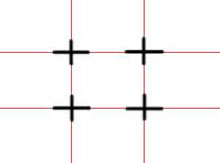
Generally, the layout of an image can be subjected to the rule of thirds – This is definitely an aspect I need to consider more, as generally the eye is drawn to the centre of an image which can create a somewhat static and uninteresting image. The idea behind the rule of thirds is that a 3x3 grid is drawn, the intersection of the lines of the grid being where the key visual aspects of an image will be situated. Adjusting the balance and symmetry of an image in this way can create a more dynamic piece.

The key aim of any image, whether it be a fine art piece or a design, is to simulate a 3D form in a two dimensional medium. This can generally be done through the use of the basic shapes used to create an image – for example cuboids being used to create the angle of the shoulders. With this, the general way to make something appear as though it has that depth is to show at least 3 faces of an object or shape. If not, 3D form can easily be low.
Values are another way in which depth can be created in composition, applying varying intensity to simulate foreground and background. This is something I have recently just grasped, however still have trouble with incorporating into  my designs due to the observational trickery of “that’s obviously in dark shadow so let’s make it intense” despite it being in the far background. It’s all about artistic judgement, and adjusting what we see to translate in a more effective or visually pleasing way on paper.
Values can also denote materials and textures, adjusting the “specularity” of an object can dictate whether something is shiny or matte, something which can bring life to an image through its application.
An addition element of visual composition is the application of colour. And this will be the last one I touch upon in this post, as this is a super long essay-bearing topic and I’ll save you the eye strain. The use of a large variety of different shades can frankly create a mess, on the verge of cluster-fuck, of visual unappealing proportions. Keeping the hues on a similar scale, but adding a key colour can create a more dynamic and smooth unity within a piece. This can be demonstrated across the years through many fine art masters – for example “Hylas and the Nymphs” by John William Waterhouse, or “Lady Godiva” by John Collier. In addition to this, colours suggest mood, temperatures and can dictate the softness of an image.
Hylas and the Nymphs
Lady Godiva
To sum up what could be an epically long post somewhat cut short, composition is more complex than one could initially suspect – a lot of artistic judgement, adjusting and concepting is needed in order to create the most aesthetically appealing piece – not to mention critically analysing yourself and your approach. A single misjudgment in colours, values or the composition could deteriorate an ideas representation. And that would sort of suck.